



 Contact sales
 Support
 Login
Login



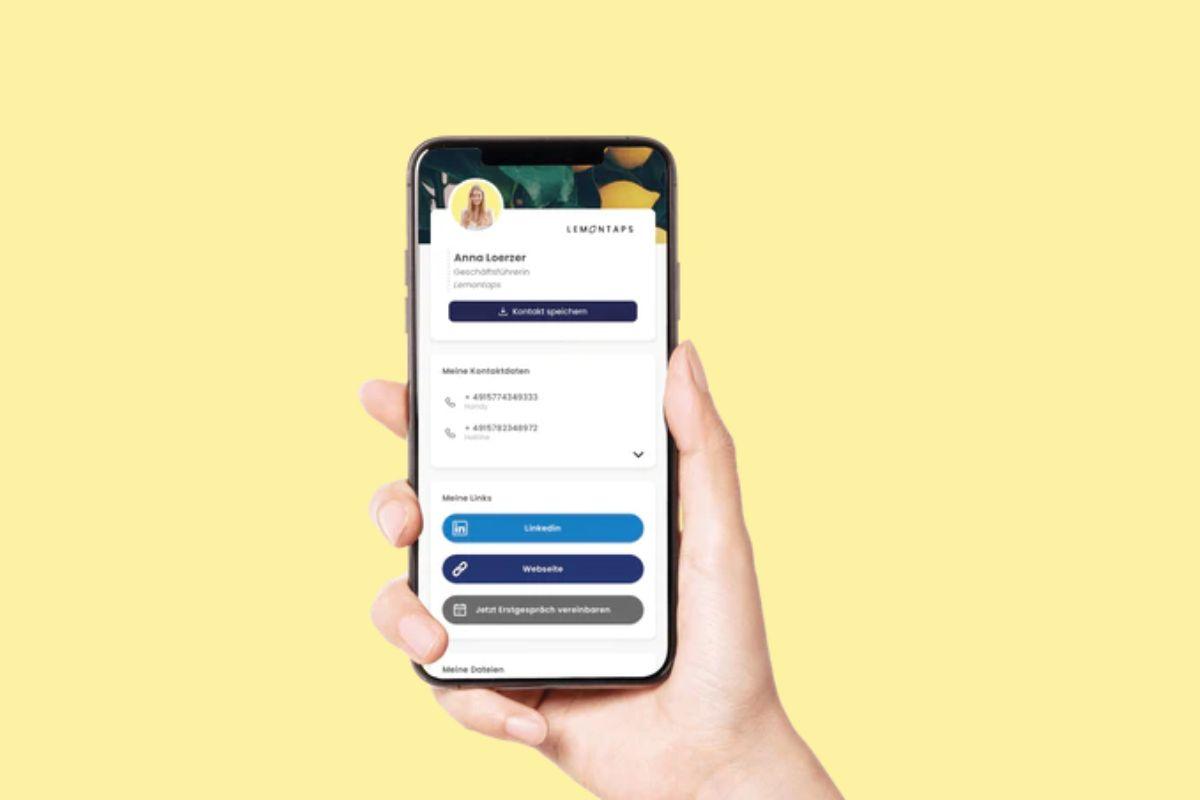
Out of the numerous reasons that i can state for the increasing significance of digital business cards in the world of networking and scaling a business, i would like to start with the most obvious-
Digital business cards also known as virtual business cards and e business cards are like the digital makeover that the paper cards have needed for a long time.
In this article we will start with the very basic question that comes to your mind when you first hear about a digital business card, and then we will work our way up:
- What is a digital business card?
- The benefits of digital vCards, and why they're so great for exchanging contact information in business?
- How a digital business card can help you stay on the top of your game.
- And, also this article ends with some super helpful tips on how you can use a digital business card to expand your professional network and scale your business.
Sending and receiving information via paper was yesterday
Thanks to new technologies like the Internet and cloud computing, you can now sign your contract online simply with a digital signature.
Instead of writing a physical shopping list, you can now use apps or just directly order online from maybe Flink or Gorillas.
Nowadays, students and pupils take their notes on their tablet or laptop.
Millions of people use instant messengers to communicate with each other in their daily and professional lives.
The use of paper is decreasing with every passing day and trust me it is for the greater good .
Why still use business cards in paper format?
I'm sure you're all familiar with the traditional business card in 85 mm x 55 mm paper format. But this card has long since become obsolete. Paper business cards are becoming increasingly rare. So why still rely on paper for business cards when there is a digital, simple and more sustainable way to do this?
An alternative solution that offers options for all your data, for files, for links to social networks and even space for photos and videos. This is Lemontaps' digital business card.
What is a digital business card?
Basically, the digital business card is similar to a traditional paper business card. The digital vCard, is a vcf file and contains, just like the paper business card, information about a person or a company.
Common standards for vCard use were established in 1996 by Apple, AT&T, IBM and Siemens in the so-called Versit Consortium. The electronic business card can be embedded in HTML websites, sent via e-mail or messenger.
It is used to exchange contact information and allows you to design as well as link to social media profiles.
What does the ASCII character set mean in relation to business cards?
The Ascii character set comes from the American and stands for "American Standard Code for Information Interchange". It is a code that is used to encode various letters and text characters. The information is nowadays encoded in Unicode or with Ascii code, so that different applications and devices can use the format, e.g. in calendars.
Why do you need a digital vCard?
Imagine you're starting a new position as a sales manager and you want to represent your company promptly at a major trade show or you plan to attend a conference. Whether these events take place online or offline doesn't matter. They are important opportunities for you to communicate with potential customers and business partners. The goal of these events is to meet people from similar industries and potential new customers and to exchange information with each other.
Share via QR codes
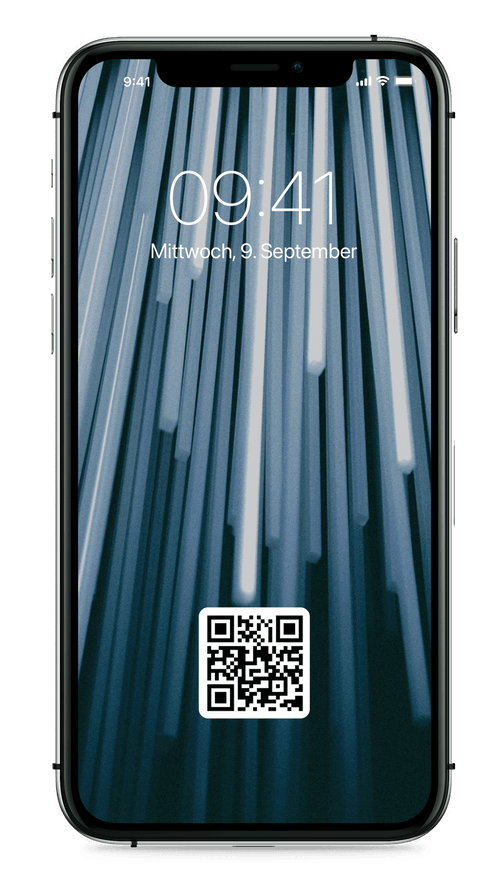
Now the digital vCard comes into play - a person is interested in the products you offer. Your digital business card is your ticket to a new business contact. The person scans your virtual card via smartphone in the form of a QR code and can immediately save your contact.
What information do you send to your contact?
However, your potential customer will not only receive your contact details, but vcard files like a linked video with a show of your product benefits, or a product sheet in the form of a PDF. Links to your social media profiles should not be missing if you want to attract attention.
With all smartphones and other end devices like tablets, new contacts can scan and save your vCard.
The digital vcf - This technology offers more storage space
The paper business card is something physical. You can hold it in your hand, unlike the digital business card. This is where the next difference comes from. A physical product has limitations. The paper business card is small and accordingly has limited options for displaying your data.
Besides the name, address, phone number and email address, you won't find much else on traditional business cards. The digital business card offers space for all relevant contact data, video files, image files, social networks, presentations and flyers.
The digital business card - Simple and sustainable
The next differences are simplicity and sustainability. You surely know it. You have a new phone number or e-mail address and want to include it on your business card. With conventional business cards, you would now have to have the business cards completely reprinted and the old ones would naturally end up in the trash.
This is a lot of effort, costs money and time, and is not sustainable. With the digital business card, you don't have these problems. You can easily edit your specified data online on your computer or via your smartphone anytime and anywhere.
The digital business card is more than a URL
The digital business card is much more than just a file that stores your information and other files. It is also a networking tool. The various functions of the digital business card make it your new helper at work.
It supports you in customer acquisition, home office work, sales, remarketing and lead generation. And by the way, it's also your digital profile, which you can share through various channels.

You realize it's not so easy to say what the digital business card actually is, because it is so many things. It's the perfect tool for networking, it's the perfect support for any work, it's your own digital profile and it's your helper in everyday life and on the job.
Advantages of the digital business card
For you as a manager looking for a professional and efficient solution to distribute your contact information, a digital business card offers many advantages.
The big advantage is that you can easily and clearly summarize the contact information such as website, phone number, address, photo and more.
This allows you to send your vCard to anyone from a potential client to a business partner in seconds.
With this quick solution, you'll not only save time, but also increase the possibilities of control. With a digital business card you'll also have the possibility to keep your contact information up-to-date by making changes at any moment.

A digital business card can also contribute to a unique and professional appearance for the company in question, thanks to the use of different colors and other elements.

How do I create my digital business card?
To create your digital business card, you can use our Business Card Freetrial, which allows you to create a professional looking business card in minutes. You will receive the QR code automatically from us. The hardware is our NFC card, which you can purchase in our store and embellish with an additional design.
To create your electronic vCard, please have the following information ready in advance:
-
Position
-
Roll
-
Name
-
First name
-
Address
-
Logo
-
Company
-
Website
-
Social media profiles
-
LinkedIn
-
E-mail
-
Files
-
Videos
-
PDFs
Use one of our templates as a background graphic. For the creation and design of the digital business cards, as a user with us, you do not need an email program and an extra contacts app to store your valuable contacts.

Tips for creating business cards
VCards are like the building block of your corporate identity. Your company has decided on certain colors, your logo is a distinctive trademark and you use a very specific language that represents your brand?
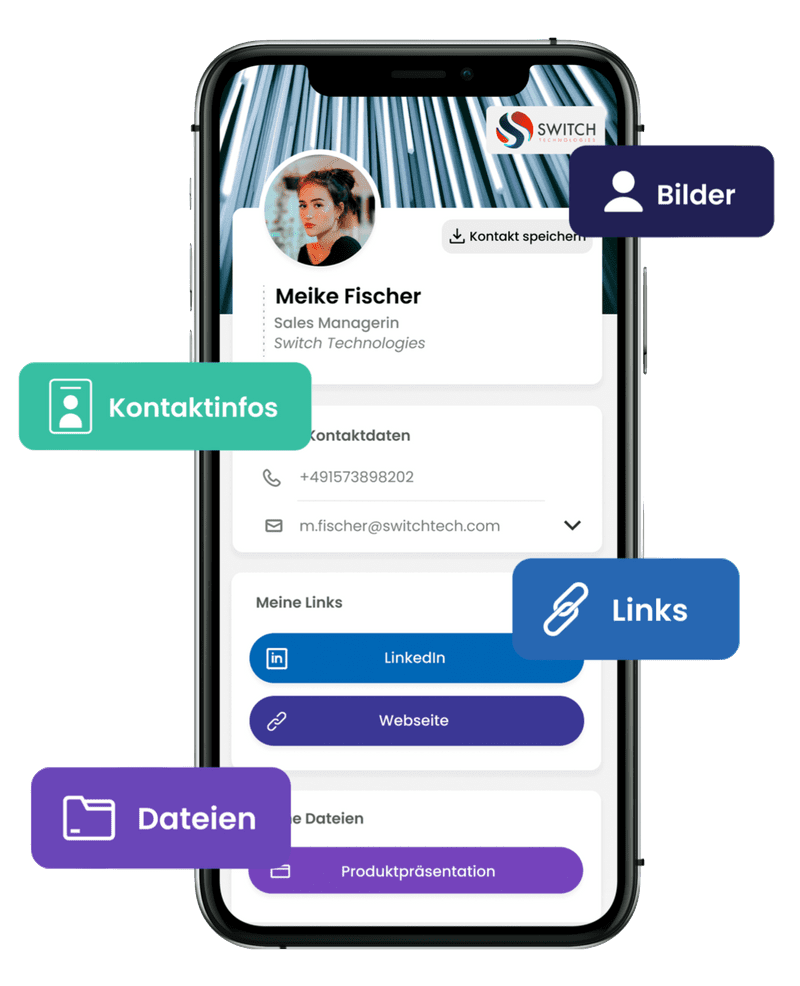
This is exactly what you should consider when creating business cards and include in your design. You should keep the look and feel of your company consistent. Whether it's on your website, your company car, or your business card. Your information should be designed in such a way that your brand is recognizable.
Use your own background photo
Take a photo of your office space or your company's building and upload it as a background to your vCard.
Professional profile picture
Before you create your digital business card, see if the photo of you is up-to-date or have a professional photo taken of you. Change your picture at any time thanks to the QR code.
Digital business card variants
Vcard in conjunction with QR code:
NFC card: You can hold the NFC card directly to the other person's Android or iPhone and they can add your contact to their address book. The NFC card comes in different materials: wood, metal and plastic. The advantage of an NFC business card is that instead of having over 50 business cards in the past, you only need one card, which is more sustainable and efficient.
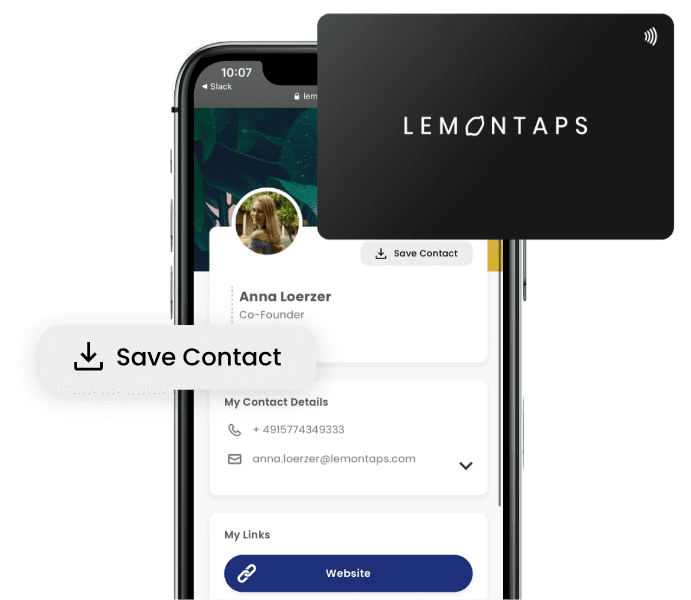
How do you share your digital vCard?
In the correct file format
There are several ways you can submit your electronic vCard. First and foremost, it is important that you save your vCard in the correct file format. Most commonly, vCards are saved in vcf or vcard format.
This format lets you create a single file with all your data, which you can send to different recipients. You can also host your digital business card on a website and specify a URL address where the vCard can be downloaded.
With Lemontaps you automatically have the right file format
Since you can easily and quickly create your own business card at Lemontaps and you only need to register with your email address, you don't need to worry about the right format.
Share via signature in email program
When you send your vCard as an email attachment, you must save the attachment as a vcf or vcard file. If you are sending this file to multiple recipients, you may need to use software to automate the emailing process. In today's popular email programs, contact information can be received and saved, and shared with other users.
With the link you receive from us, you do not need any extra software.
In the e-mail signature you can automatically send your electronic vCard to the addressees and do not have to insert it each time.
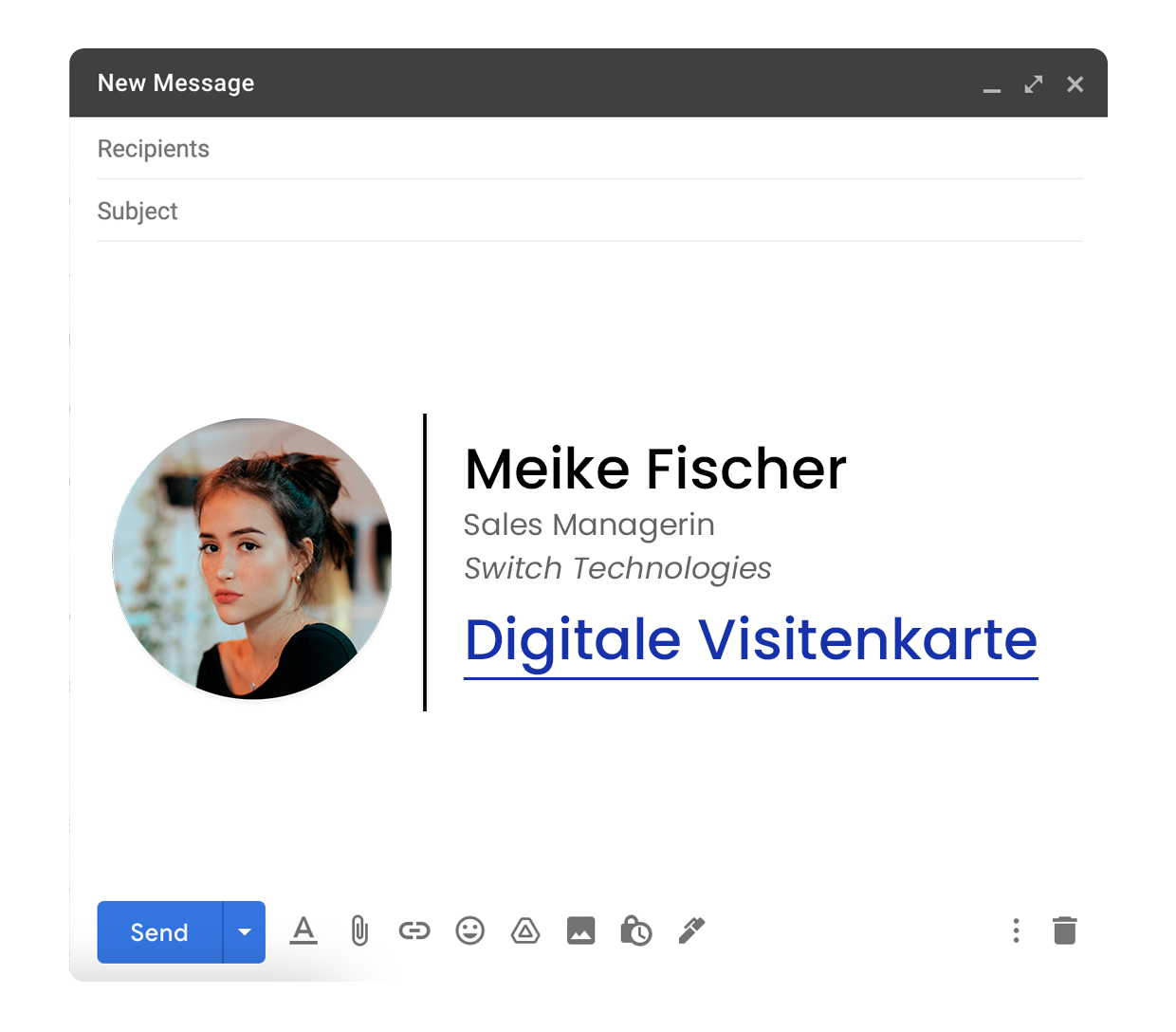
The recipient of your message can save your contact directly and add it to his address book with a single click, thanks to today's e-mail programs. Thus, he has your data at any time in view and can easily access it.
Share data via QR code scan
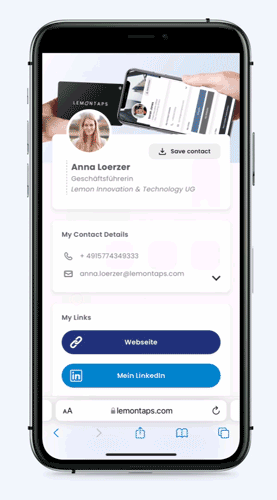
With the help of a QR code you share your most important data via scan. Insert the QR code anywhere people can see you, whether in a presentation, a Zoom meeting in the background image or via a press release on the Internet.
The ease of creation, flexibility, and keeping in touch, as well as the convenience of sharing, make it a great choice for anyone who wants to succeed in business.